
Website Speed: How Many Sales Are You Losing Every Second?
Every extra second of load time quietly costs you sales. The real numbers behind website speed, what your PageSpeed score actually means, and a 10-step checklist to fix it.
 Shreenath JagtapNovember 22, 20267 min read

Your website doesn't lose customers in dramatic ways. It loses them quietly, one second at a time — while the page is still loading.
Ask most business owners about speed and they'll say "it loads fine." Ask them what 3 seconds of loading costs in lost sales and the answer gets vague. This post is the honest version: the actual numbers, what your PageSpeed score really means, and a checklist to fix what's slow.
No hype. Just the math.
The Quick Answer
If you remember nothing else from this post, remember this table.
Load time | What the data says |
|---|---|
0–1s | Best-in-class. Roughly 3× the conversion rate of a 5-second site |
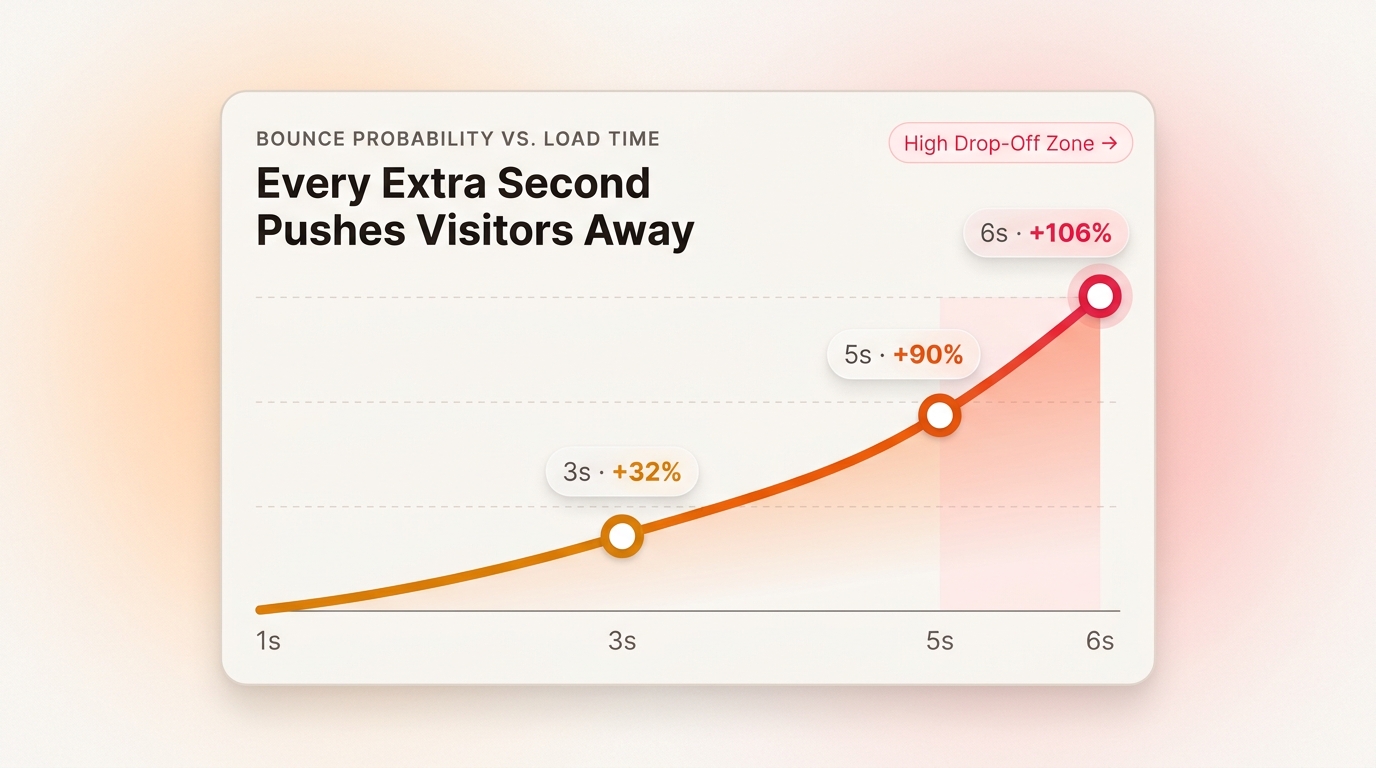
1–3s | Bounce probability jumps +32% |
3s | 53% of mobile visitors give up and leave |
5s | Bounce probability +90%, conversions drop ~4.4% with every extra second |
6s+ | Bounce probability +106% — and +123% by 10 seconds. Most visitors never even see your offer |
Sources: Google/SOASTA mobile study (Think With Google, 2017), Portent conversion analysis (94M pageviews). These aren't estimates from a marketing blog — they're measured from real traffic at scale.
What One Second Actually Costs
Speed doesn't lose you visitors in one big dramatic moment. It compounds.
Say your website converts 2% of visitors — 2 sales for every 100. Portent's data shows conversion rate drops roughly 4.4% for every extra second of load time in the 0–5 second range. That doesn't sound like much until you run it across a month of traffic.
A site that loads in 5 seconds instead of 2 isn't "a little slower." It's converting at roughly a third of the rate it could be. Same ad spend. Same traffic. A third of the sales.
And it gets worse: Google's research found bounce probability climbs +32% between 1 and 3 seconds, +90% between 1 and 5 seconds, and +106% by 6 seconds — and by 10 seconds, a visitor is 123% more likely to leave. Past 3 seconds, more than half your mobile visitors have already gone. They didn't read your headline. They didn't see your pricing. They never arrived.
What Your PageSpeed Score Actually Means
Run any page through Google's free PageSpeed Insights tool and you'll get a score from 0 to 100. Here's how to read it honestly:
90–100 (green) — Healthy. Keep whatever you're doing.
50–89 (orange) — You're leaking money quietly. Not broken, just slow enough that visitors notice.
0–49 (red) — You're paying for traffic that bounces before the page appears.
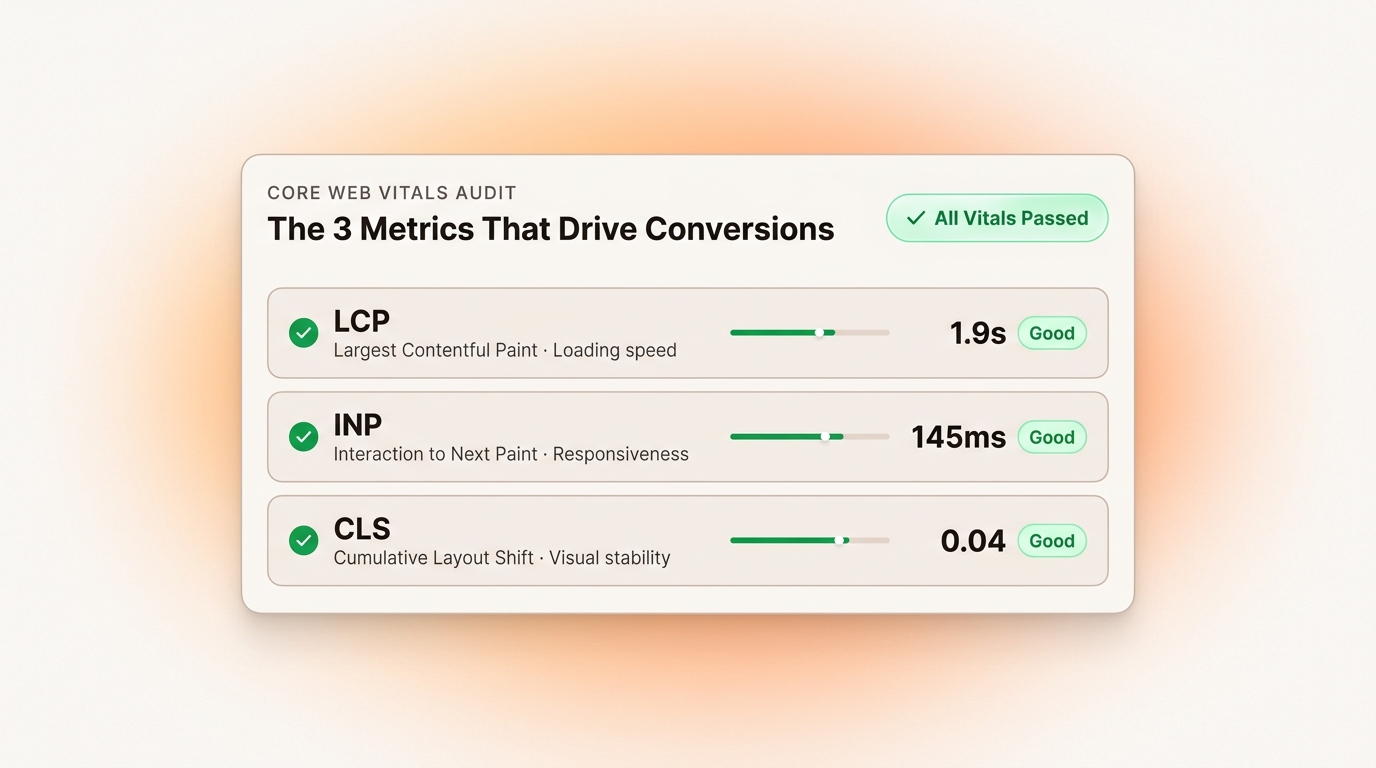
One correction most agencies won't tell you: the score itself isn't the goal — it's a summary. What actually matters is the three metrics inside it, called Core Web Vitals:
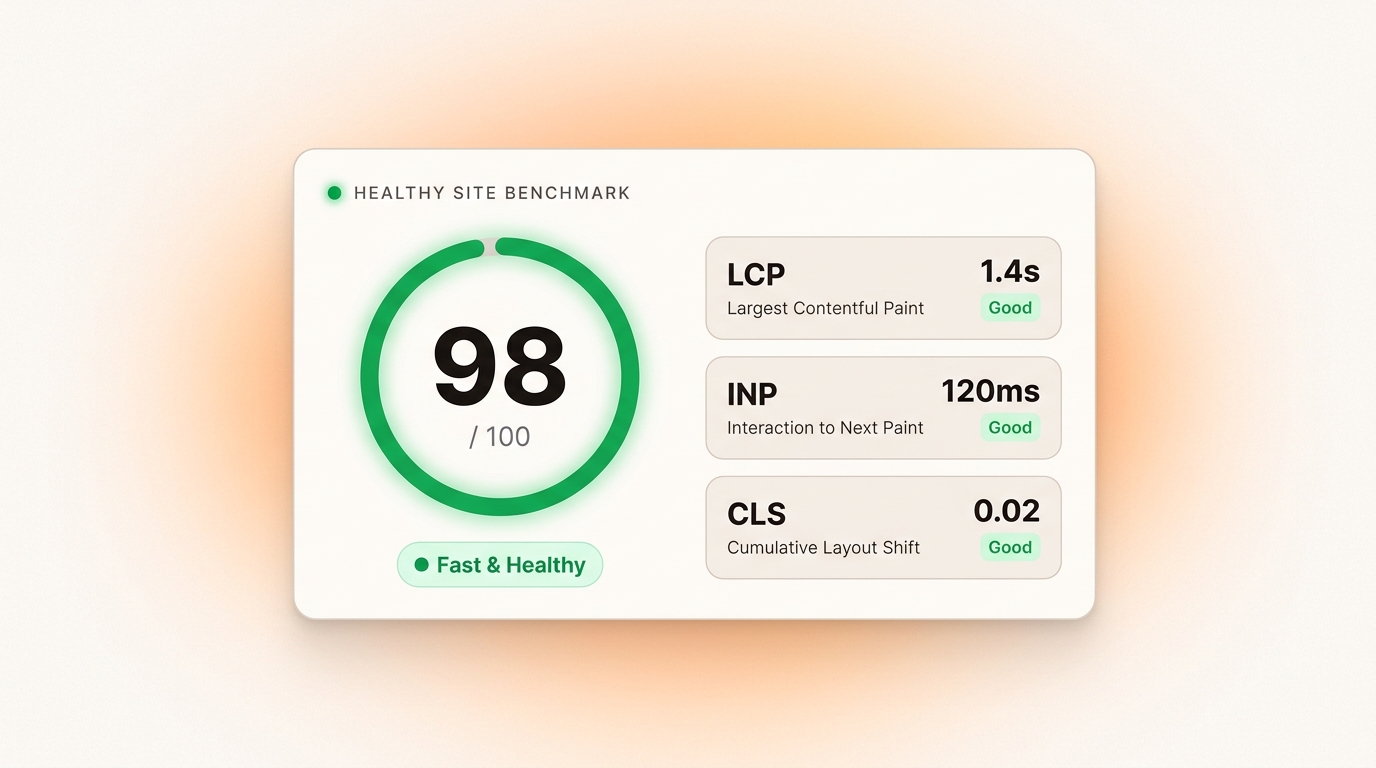
LCP (Largest Contentful Paint) — how long until the main content appears. Good: under 2.5 seconds.
INP (Interaction to Next Paint) — how fast the page responds when someone taps. Good: under 200 milliseconds.
CLS (Cumulative Layout Shift) — how much the page jumps around while loading. Good: under 0.1.
A page can score 85 and still fail real users if its LCP is 4 seconds. A page can score 72 and convert fine if every vital passes on mobile. So check the vitals, not just the big number — and always check the mobile report, because that's where most Indian traffic actually lives.
Why Most Small-Business Websites Are Slow
After auditing sites across clinics, salons, coaching centres and ecommerce stores, the same five reasons show up again and again:
Huge images. A photo straight off a phone camera is 3–5 MB. Your whole page should weigh less than that. This one issue is responsible for most slow sites we audit.
Cheap shared hosting. If the server itself takes over a second to respond (check "Time to First Byte" in your report), no amount of image fixing will save you.
Bloated themes and plugins. Every plugin adds CSS, JavaScript and database queries. A WordPress site running 30+ plugins is carrying weight it never uses.
No caching, no CDN. Without caching, your server rebuilds every page from scratch on every visit. Without a CDN, a visitor in Jaipur waits for a server in another country.
Script pile-up. Chat widgets, trackers, ad scripts, embeds — each one added for a reason, none ever removed. They all compete for the same milliseconds.
Notice something? None of these are mysterious. Slow websites are almost never bad luck — they're unfinished maintenance.
The 2-Second Fix Checklist
Work through this in order. It's arranged from biggest impact to smallest.
Test your three key pages first — homepage, your main service or product page, and your contact page. On mobile. Note the scores before changing anything.
Compress and resize every image. Convert to WebP, and resize to the actual width they're displayed at. A hero image should be 100–300 KB, not 3 MB.
Lazy-load everything below the fold. Images further down the page shouldn't load until someone scrolls to them.
Delete unused plugins and widgets. If you can't remember why it's there, it's costing you speed.
Turn on caching. Page caching plus browser caching. On WordPress, one good caching plugin configured properly does both.
Put a CDN in front of the site. Cloudflare's free plan handles this for most small businesses in under an hour.
Check your Time to First Byte. If it's over 0.8 seconds even after caching, your hosting is the bottleneck — upgrade it.
Cut third-party scripts you don't need. Every chat bubble, popup and tracker adds load. Keep the ones that earn their milliseconds.
Set width and height on every image. It stops the page from jumping around while loading (your CLS score will thank you).
Re-test, and then watch the field data. PageSpeed Insights shows real user data from the last 28 days. That's the number that reflects reality, not just the lab test.
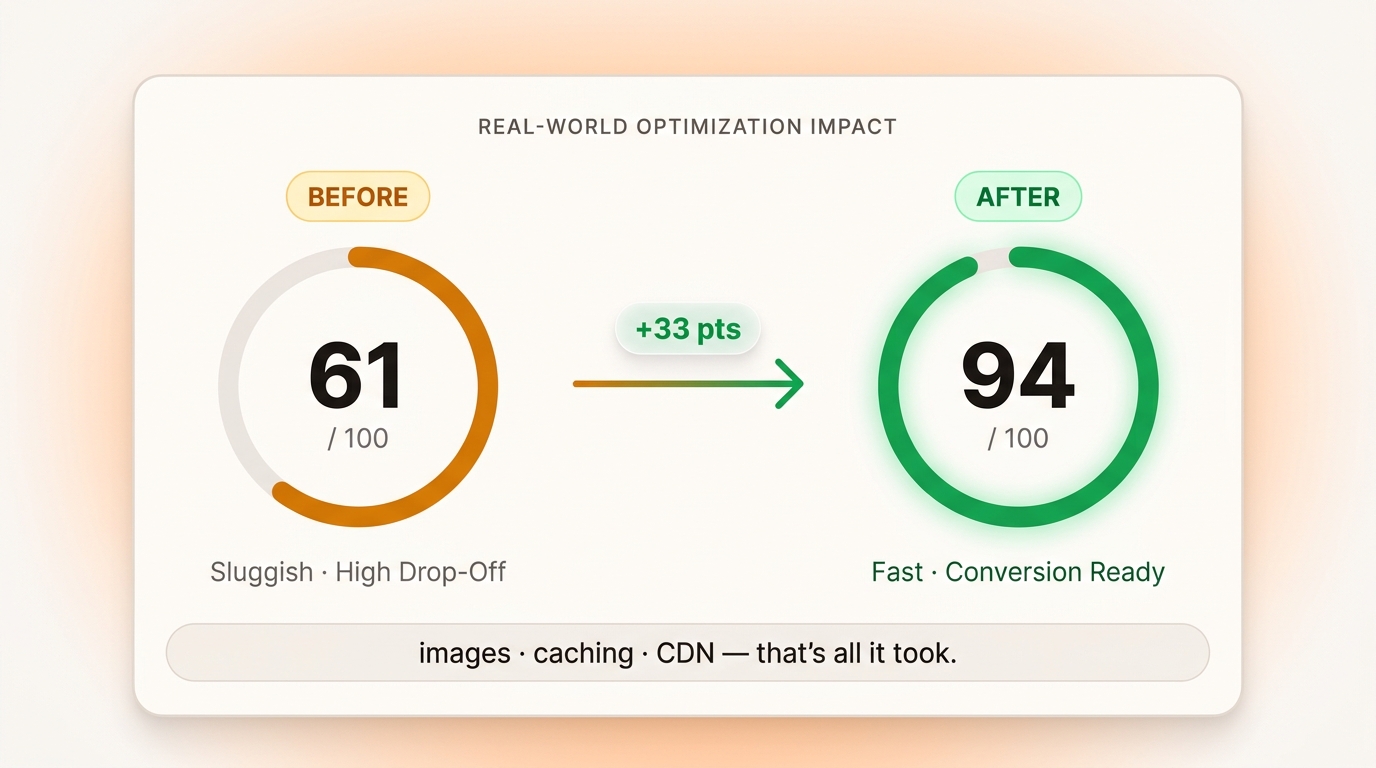
Most sites we audit jump 20–30 points from steps 2, 5 and 6 alone — in one afternoon.
When Speed Isn't Actually Your Problem
An honest section, because it matters.
If your website gets 40 visitors a month, speed is not why sales are low. A slow site with no traffic has a traffic problem. A fast site with a confusing offer has a messaging problem. Speed multiplies whatever you already have — it doesn't create demand from nothing.
Fix speed when you have real visitors to lose. Fix your offer and your traffic first if you don't. The order matters, and most agencies won't tell you that because speed audits are easier to sell than strategy.
FAQ
What is a good PageSpeed score?
90 or above is good, but don't worship the number. What matters more is that your Core Web Vitals pass on mobile — LCP under 2.5s, INP under 200ms, CLS under 0.1 — using real field data from the last 28 days.
How fast is fast enough?
Under 2.5 seconds on mobile passes Google's threshold. Under 2 seconds is where conversions stop bleeding. Under 1 second is best-in-class, and for most small businesses, unnecessary to chase.
Will fixing speed alone double my sales?
No — and be suspicious of anyone who promises that. Speed removes friction; it doesn't fix a weak offer or bring traffic. But with real traffic already coming in, the data shows it recovers a meaningful share of the sales you were silently losing.
Does hosting really matter that much?
Yes — but only up to a point. Hosting controls Time to First Byte. If your server is slow, nothing else you optimize will fix it. Once TTFB is under ~0.8s, images and scripts become the bigger levers.
Final Thoughts
Every second of load time is a small, silent tax on every marketing rupee you spend. Ads, SEO, word of mouth — they all pay it before a visitor ever sees what you sell.
The good news: it's one of the few problems with a clear diagnosis, a free tool to measure it, and a checklist to fix it.
Seconds are silent. Sales aren't.
⚡ Get a Free Speed Audit
We'll test your three key pages on Google PageSpeed Insights — scores, Core Web Vitals, and the top 3 fixes — and send you a plain-English report. No strings attached.
WhatsApp · Email: webilume@gmail.com · Website: www.webilume.com
Or DM 'AUDIT' on Instagram: @webilume
Written by
Shreenath Jagtap
Hi, I'm Shreenath Jagtap — Founder, builder, and digital strategist. I help turn ideas into scalable businesses by combining AI, modern technology, and strategic execution. My passion lies in creating products that solve real problems, drive growth, and make a lasting impact.